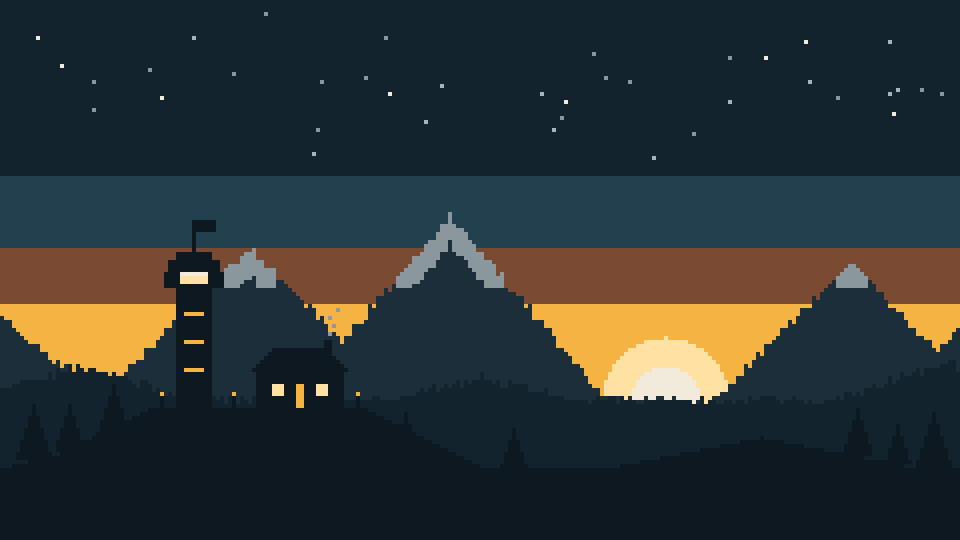
A friends-only survival server
The Outpost
Plain Minecraft with a few safety nets. Your stuff waits in a grave when you die, spawn is protected, and griefing gets rolled back. Nothing to install.
- Java 26.3
- No mods needed
- Survival · Normal
- PvP on
- Invite only
Server address
play.theoutpost.party
Invite only. Email Azarlene a whitelist request before your first join.
01 · Join
Join in three steps
Takes a couple of minutes, and you only do it once.
-
Request a whitelist spot
Email Azarlene with your exact Java Edition name and who you know on the server. On Discord? Add your Discord username too and you'll get an invite to the Outpost Discord. It's optional, and Discord is 13+.
[email protected] -
Understand the rules
Read the house rules before you join. Playing here means you agree to them.
Read the rules -
Add the server
Multiplayer → Add Server, type the address, then Done → Join.
play.theoutpost.party
Under 13? A parent needs to allow multiplayer for your Microsoft account in Family Safety (Xbox family settings). Without it, Minecraft won't let you join any server.
02 · What's on
Vanilla, plus a few safety nets
It plays like normal survival. All of this runs on the server, so there's nothing for you to install.
-
Graves keep your stuff
When you die, your items go into a grave right where you fell. Only you can open it.
-
Safe spawn
Nothing can hurt you at spawn: no PvP, no mobs, no fall or fire damage. Nobody can build or break there, but crafting tables, furnaces, beds and the shared chests all work. The lantern posts mark where the safe zone ends.
-
PvP is on, except at spawn
You can fight other players out in the world. Spawn is a no-PvP zone.
-
One bed skips the night
Only one person has to sleep. Nobody waits around for everyone to find a bed.
-
Griefing gets undone
Every block placed or broken and every chest opened is logged, and can be rolled back.
-
Backed up every 6 hours
Automatic backups while people are playing, plus copies kept off the server.
In-game leaderboards
Updated live in the game, and on the signs at spawn.
- Player kills
- Under each player's name
- Diamonds mined
- Hold Tab to see the list
Getting around
Every teleport has a 10-second countdown, and taking damage cancels it, so none of them is an escape from a fight. There's no cancel button either: don't type one unless you mean it.
- /spawn
- Takes you back to spawn from anywhere.
- /home
- /home set saves your base (one per player). /home takes you there. /home delete clears it.
- /tpa <name>
- Asks to teleport to a friend. They answer /tpaccept or /tpdeny. Requests expire after a minute.
03 · Changes
What's different from vanilla
Everything here runs on the server, so plain Minecraft 26.3 is still all you need. The same list is in the Outpost Guide book: read it on the lectern at spawn, or type /trigger guide for your own copy.
Trees fall in one chop
Chop the bottom log with an axe and the whole tree comes down. Sneak while chopping to take just one log.
Leaves clear fast
After a tree comes down, its leaves decay in seconds instead of minutes.
No x-ray
The server hides ores you can't see. X-ray packs and mods only show fake ores.
Mob heads
Many more mobs can drop their heads when you kill them. Rarer mobs drop them more often.
Player heads
Kill a player and they drop their head, labeled with who got them. A trophy for the wall.
Name colors
Type
/trigger colorand click a color in chat to change your name color. Click reset to go back to normal.Better tools
Blocks with no proper tool now have one: pickaxe for glass, glowstone, sea lanterns and mob heads; axe for cactus, beds and candles; hoe for carpets; shovel for cake. Glass still needs Silk Touch to drop.
Confetti creepers
Some creepers burst into harmless confetti instead of exploding.
XP bottling
With at least one level, right-click an enchanting table holding an empty bottle to store some of your XP in it. Smelt that bottle in a furnace to get all of it back.
Armored elytra
Combine an elytra and a chestplate at an anvil, so you can fly with armor on. Split them again at a grindstone.
Chat formatting
Use **bold** and *italic* in chat. Links are clickable, so only share safe ones.
Sit down
Right-click a stair, slab or carpet to sit on it.
Spawn chests are shared
Anyone can use the chests at spawn. Every chest change is logged, so take only what's meant for everyone.
Sort a chest
Double-click an empty slot inside any chest, barrel or shulker box and it sorts itself. Or type /invsort sort while it's open.
Torches light your way
Holding or dropping a torch, lantern or any other light source lights up the area around it. Enchanted gear glows faintly too.
New recipes
- 4 stairs back into 3 blocks, 2 slabs into 1
- Smelt rotten flesh into leather
- Any wool into 4 string
- Nether wart blocks back into 9 nether wart
- Enchanted golden apples: an apple surrounded by 8 gold blocks
Change log
- 2026-10-07Server opens: graves, safe spawn, PvP outside spawn, one-bed nights, block logging, backups, leaderboards.
- 2026-10-08Falling trees, fast leaves, no x-ray, chat formatting, sitting, mob and player heads, name colors, better tools, confetti creepers, XP bottling, armored elytra, new recipes.
- 2026-10-09Spawn upgrades: crafting tables, furnaces and beds work; shared spawn chests; no damage of any kind inside spawn; monsters that wander in vanish; lantern posts mark where the safe zone ends.
- 2026-10-23/spawn for everyone: 10-second countdown, cancelled if you take damage.
- 2026-10-24/home (one per player) and /tpa for everyone; chests sort when you double-click an empty slot; held torches and lanterns light up the area.
Optional
The Outpost client pack
Want the far views, shaders and richer sound Azarlene plays with? The Outpost client pack sets it all up in one click. It's never required: players without it play exactly the same game, on the same server.
- Far viewsSee mountains and builds far past normal render distance (Distant Horizons).
- ShadersSunsets, water and lighting from Complementary shaders.
- Richer soundCave echoes, biome ambience and footsteps that match the ground.
- Little touchesFalling leaves, extra particles, 3D skins and better animations.
How to get it
- Install the free Modrinth App from modrinth.com/app.
- Get the pack file: it's pinned in #client-mods on the Discord, or email Azarlene for it.
- In the Modrinth App, open the
.mrpackfile, then give the instance 6–8 GB of memory in its settings.
Shaders need a strong graphics card. If it runs slowly, turn shaders off under Options → Video Settings → Shader Packs.
04 · Rules
House rules
Short list. Younger players are on here too, so keep it friendly.
- Be kind in chat. No bullying and no mean jokes about people.
- Don't grief or steal. Every block and chest is logged, so it gets found and rolled back.
- Give people space. Ask before building right next to someone's base.
- No cheats. No hacked clients, x-ray or duping.
- Shared builds are shared. Spawn and community builds belong to everyone.
05 · Help
Can't connect?
Find the message you see on screen.
You are not white-listed on this server
Your name has to match exactly. Send Azarlene the name shown in the Minecraft Launcher, then try again.
Incompatible client
You're on the wrong version. In the Launcher, open Installations, make a new one on 26.3, and play that.
Multiplayer is disabled
A parent needs to allow multiplayer for your account in Microsoft Family Safety.
Unknown host
Check the spelling: play.theoutpost.party. If it's right, fully quit Minecraft and open it again.
Do I need any mods?
No, never. Plain Minecraft 26.3 works. For far views, shaders and better sound, try the optional Outpost client pack (see Changes).